Modern reality capture technologies make it possible to document buildings, infrastructure, industrial facilities, and indoor spaces faster than ever. Whether data is collected with drones, terrestrial laser scanners, or handheld SLAM LiDAR systems, the result is often the same: millions of points describing the scanned environment in remarkable detail.
Capturing the data, however, is only one part of the workflow. Before point clouds can be used for surveying, design, asset management, or digital twin creation, they need to be processed, cleaned, georeferenced, and converted into practical deliverables.
To accomplish this, professionals rely on a variety of software platforms. Solutions such as Pix4D and Agisoft Metashape are widely used for photogrammetry, while tools like LiDAR360 or TerraScan are common choices for LiDAR data processing and analysis. Each platform serves a different purpose depending on the project requirements and the type of data being collected.
In this article, we’ll focus on SHARE PointCloud Studio, the processing software developed for SHARE handheld LiDAR scanners. We’ll explore its core workflow and take a closer look at several key capabilities, including point cloud reconstruction, CAD drawing generation, and 3D Gaussian Splatting.
SHARE PointCloud Studio is a desktop post-processing application developed for datasets captured with SHARE SLAM LiDAR systems. It converts raw scan data into structured point clouds and provides a set of tools for visualization, analysis, and export. According to SHARE, the software supports point cloud reconstruction, CAD floor plan generation, section extraction, and workflows based on 3D Gaussian Splatting.
The platform is aimed at professionals involved in:
For teams that routinely collect data using mobile LiDAR systems, PointCloud Studio serves as the link between field acquisition and final project deliverables.
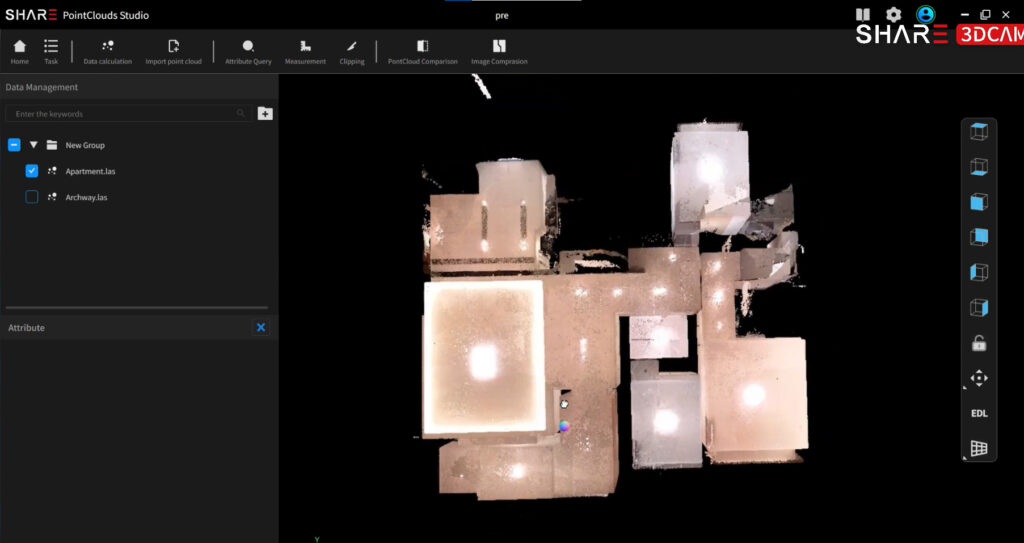
Processing begins once field data has been collected.
Raw datasets can be transferred directly from the scanner and imported into a new project. The software allows multiple datasets to be processed within the same workspace, which is particularly useful for large sites or projects that require several scanning sessions.
PointCloud Studio also accommodates geospatial workflows. During processing, users can:
The resulting point clouds can be exported in widely used formats such as LAS, PLY, E57 and PCD. Recent versions of the software also support additional interoperability options, including RCS export for AutoCAD-based workflows.
For surveying and mapping professionals, this compatibility simplifies integration with existing GIS, CAD, and engineering environments, reducing the need for additional conversion steps and helping maintain a more efficient processing workflow.
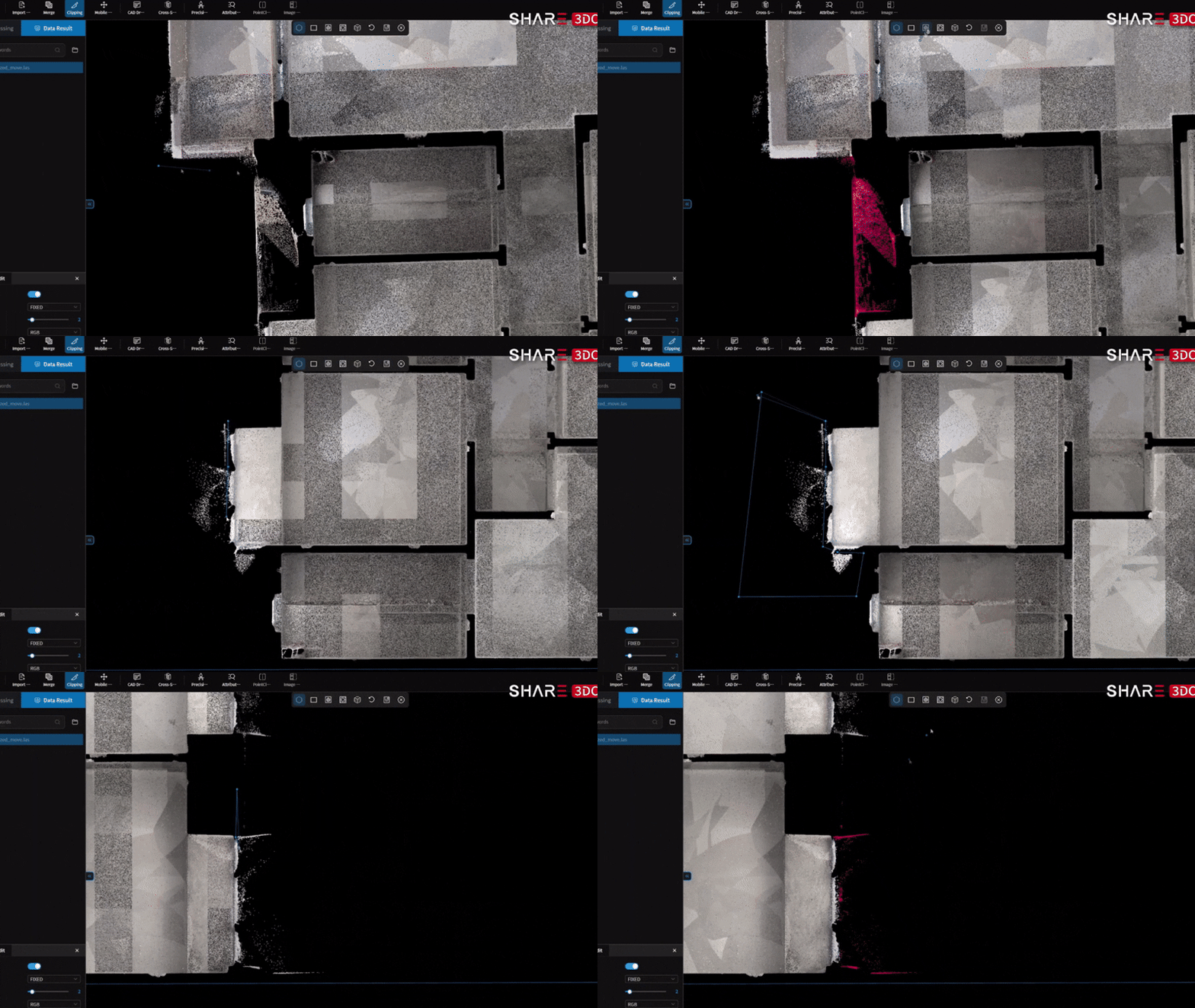
Before point cloud data can be used for documentation or modeling, it often requires cleaning and preparation.
PointCloud Studio provides a range of clipping and selection tools that help users isolate relevant areas and remove unnecessary data. Depending on the task, operators can work with polygon selections, rectangular selections, or clipping boxes to exclude surrounding noise and retain only the structures needed for further processing.
This stage is especially important when working with buildings, industrial sites, and complex indoor environments, where furniture, equipment, vegetation, or incidental objects may affect subsequent workflows.
Preparing a cleaner dataset improves readability and can enhance the performance of downstream processes such as automated extraction and model generation.
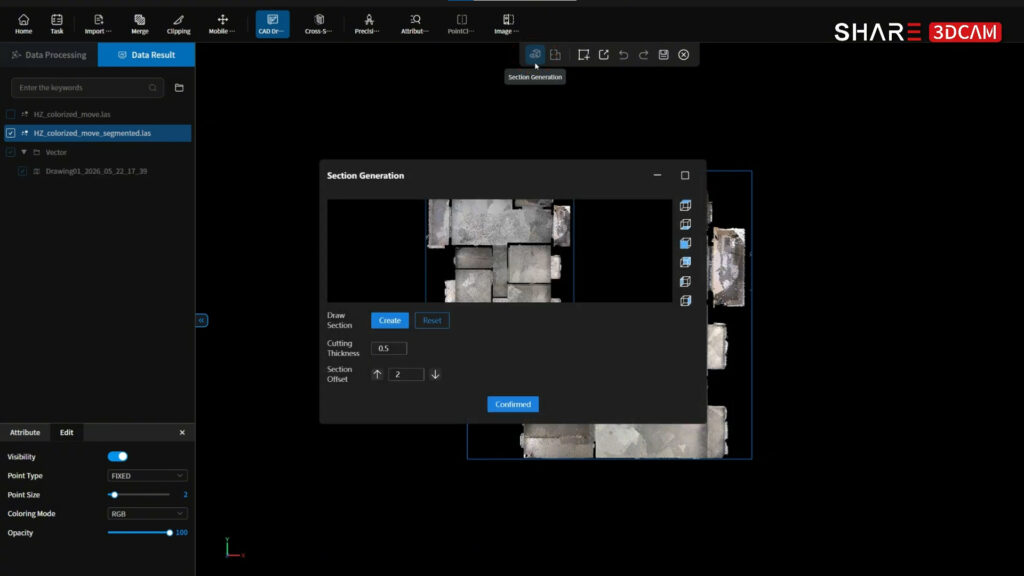
Recent versions of SHARE PointCloud Studio extend the workflow beyond point cloud visualization by introducing tools for CAD documentation.
The process begins with section extraction. Users define the position and thickness of each section, enabling the software to generate cross-sectional representations of the scanned environment.
These sections can then be used to generate initial floor plan drafts automatically. The resulting vector data may be reviewed and adjusted using the built-in editing tools before export.
The available tools include:
Completed drawings can be exported in DWG and DXF formats together with a point cloud underlay. This allows designers and CAD technicians to verify geometry against the original survey data and continue detailing within their preferred CAD environment.
In practice, scan-to-CAD workflows can reduce the amount of manual drafting required during documentation. Instead of recreating existing conditions from measurements alone, project teams can start from geometry derived directly from the captured dataset while maintaining consistency with the surveyed environment.
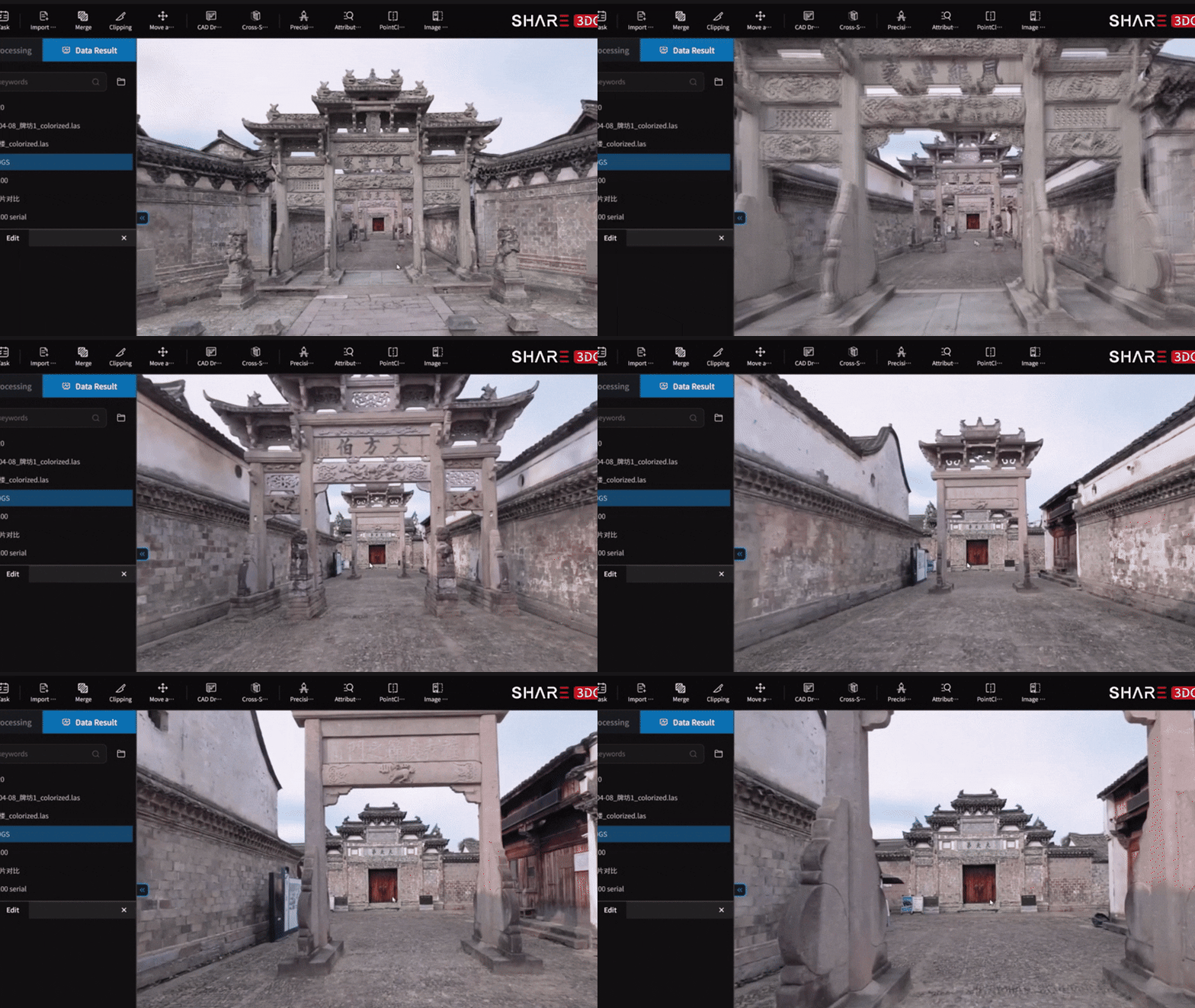
Point clouds provide an accurate representation of measured geometry, but they are not always the most intuitive format for visual review and presentation.
SHARE PointCloud Studio addresses this limitation by supporting 3D Gaussian Splatting (3DGS), a rendering technique that generates detailed scene representations from captured imagery. In recent versions, 3DGS has been integrated directly into the processing workflow.
During reconstruction, the software combines image data with spatial information collected during scanning to produce a visually rich representation of the environment.
Users can configure several processing parameters, including:
For many projects, the balanced mode provides a practical trade-off between processing time and output quality.
Compared with a conventional point cloud, the resulting model can offer a more accessible way to communicate captured conditions. This may be particularly useful when presenting survey results to clients, project stakeholders, or team members who do not routinely work with LiDAR data.
While 3DGS provides a highly realistic visual representation, the point cloud remains the primary source of metric survey information
Processing performance depends not only on project size but also on the available hardware.
SHARE recommends at least 8 GB of dedicated GPU memory for point cloud processing and at least 12 GB for 3D Gaussian Splatting workflows. Workflows involving 3D Gaussian Splatting generally benefit from more capable graphics processors and additional VRAM.
Larger datasets—such as extensive outdoor surveys, industrial facilities, or detailed building interiors—typically require greater computing resources to maintain efficient processing times.
The quality of downstream deliverables depends heavily on the quality of the original survey data. Point density, positioning accuracy, and image quality all influence the accuracy of point cloud reconstruction and the effectiveness of subsequent workflows, including CAD extraction and 3D Gaussian Splatting.
Several categories of handheld and mobile SLAM LiDAR systems are commonly used, depending on project requirements.
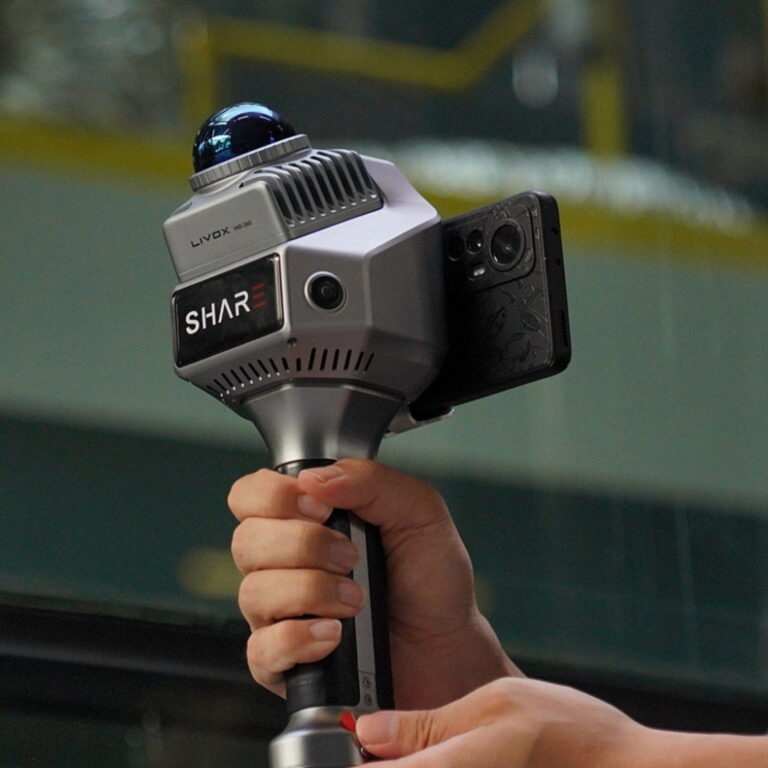
Entry-level and general-purpose scanners. Systems such as the SHARE SLAM S20 are intended for building documentation, indoor mapping, renovation projects, BIM surveys, and digital twin applications. The device combines LiDAR, Visual SLAM, integrated RTK, and dual wide-angle cameras for point cloud colorization, supporting rapid scan-to-CAD workflows.
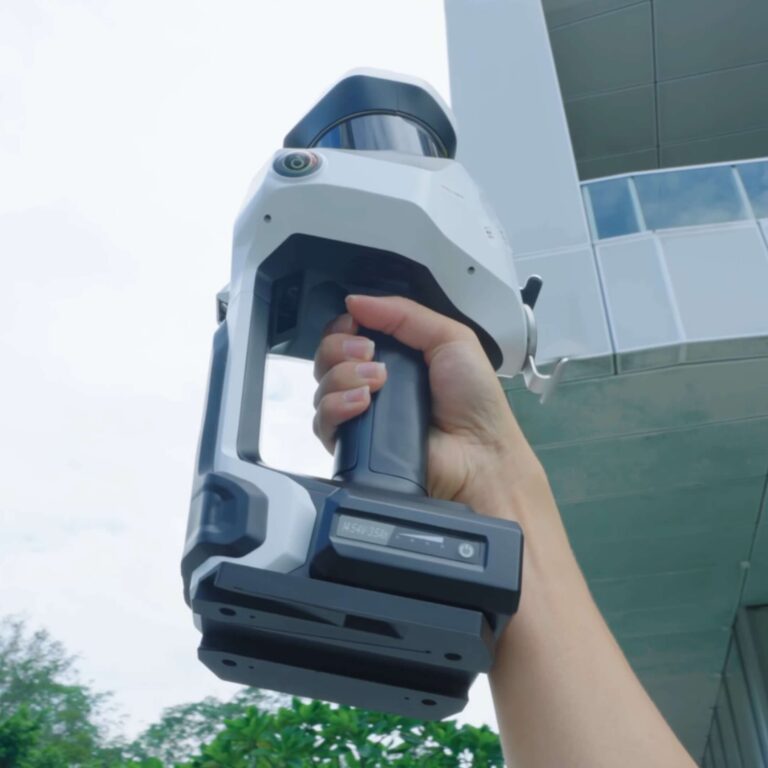
Higher-density systems for larger projects. Scanners such as the SHARE SLAM S100 offer higher point acquisition rates, extended measurement ranges, increased onboard storage, and capabilities suited to demanding surveying and infrastructure applications. Depending on the configuration, the system can capture up to 640,000 points per second and measure distances of up to 300 meters.
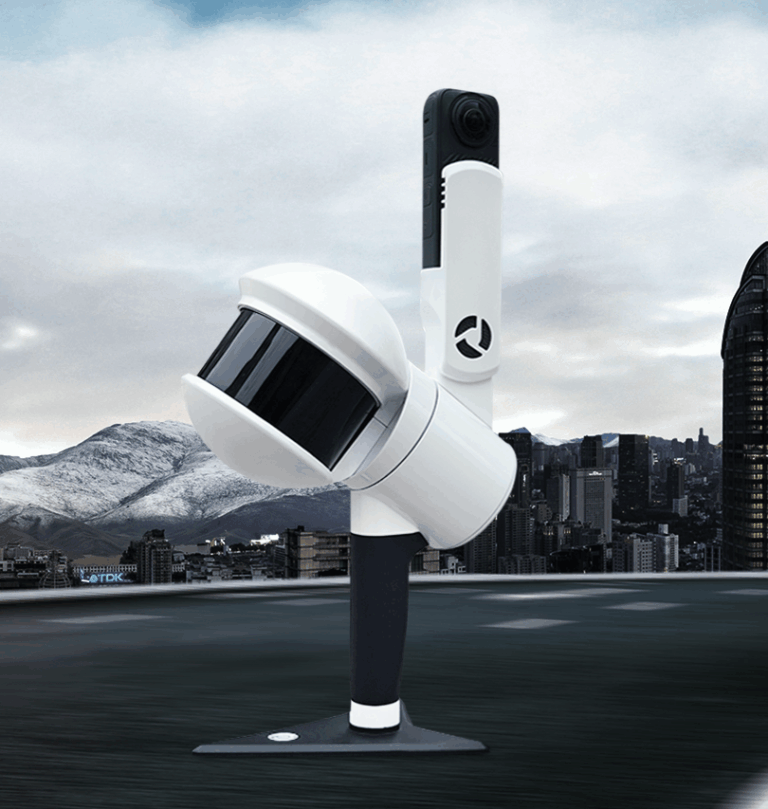
Specialized mobile mapping platforms. Solutions from GreenValley and other manufacturers expand SLAM-based data capture to backpack, vehicle-mounted, and mobile mapping configurations designed for transportation corridors, infrastructure assets, and large outdoor environments.
Selecting the appropriate scanner depends on the scale of the project, the required level of detail, and the intended deliverables. Regardless of the hardware used, however, the collected data must still be processed into formats that support design, analysis, and documentation workflows.
SHARE PointCloud Studio goes beyond basic point cloud reconstruction. In addition to processing raw LiDAR data, the software provides tools that help bridge the gap between data collection and project delivery.
Features such as floor plan extraction, CAD export, and 3D Gaussian Splatting allow users to move beyond simply viewing point clouds and begin creating outputs that can support design, documentation, visualization, and decision-making workflows. Instead of relying on multiple applications for each stage of the process, users can perform many of these tasks within a single environment.
For teams working with SHARE handheld LiDAR scanners, this creates a more direct path from field capture to usable deliverables.