DJI has released a major update to DJI FlightHub 2, focusing on a clear objective: reducing manual operations in drone workflows while improving how data is captured, analyzed, and integrated into enterprise systems.
The release introduces an embedded AI Copilot, extends AI recognition beyond predefined classes using vision-language models (VLM), and restructures data handling and third-party integration.
Taken together, these changes reduce manual interaction with the platform and shift more of the workflow toward automation—particularly in repetitive inspection, monitoring, and survey scenarios.

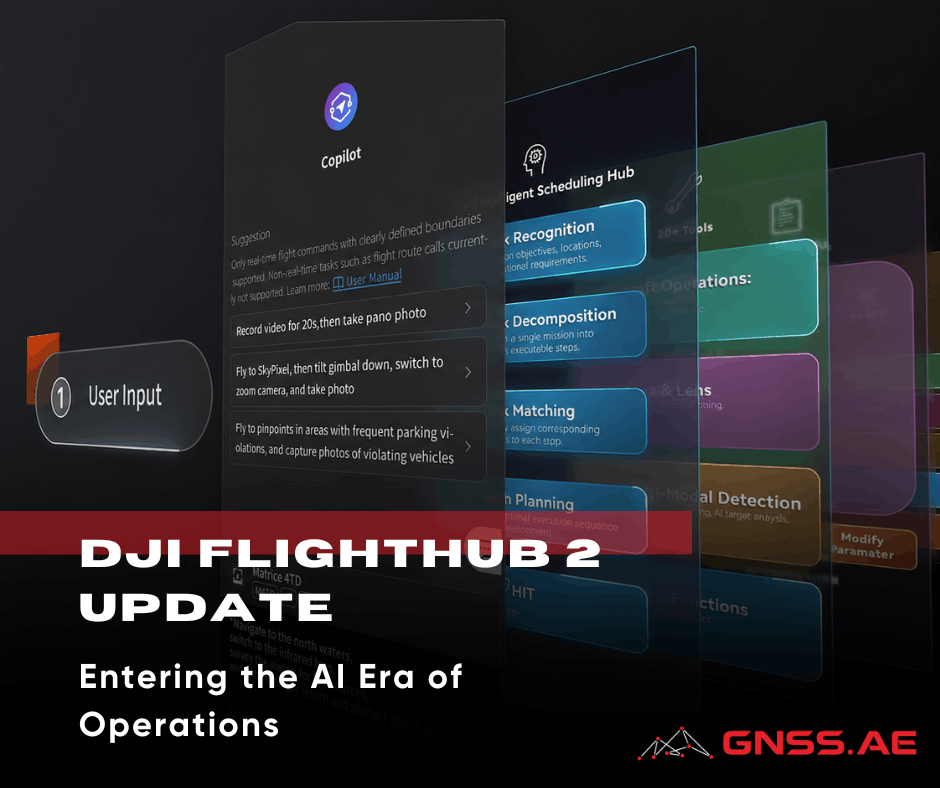
One of the biggest changes in this release is the launch of FlightHub 2 Copilot – an AI assistant that’s built right into the platform.
Instead of following a canned, multi-step process to define a mission by choosing routes, confirming payload settings, reviewing telemetry, and validating waypoints, operators can choose from the following examples of commands in natural language.
The system takes these requests, checks the drone’s status, reviews waypoint notes, and turns the command into actions that can be executed. This process involves breaking down a broad instruction into specific flight tasks.
From an operational standpoint, this does two things:
Beyond basic mission control, Copilot can also coordinate multi-step inspection tasks that combine navigation, data capture, and AI-based detection.
For example, in a forestry or fire-monitoring scenario, an operator can issue a command like:
“Check the mountain top for smoke, take photos, and send them back.”
Copilot translates this into a mission plan, allows the operator to confirm the target location, and executes the flight. Upon reaching the area, onboard detection is automatically activated. If smoke is identified, the system can:
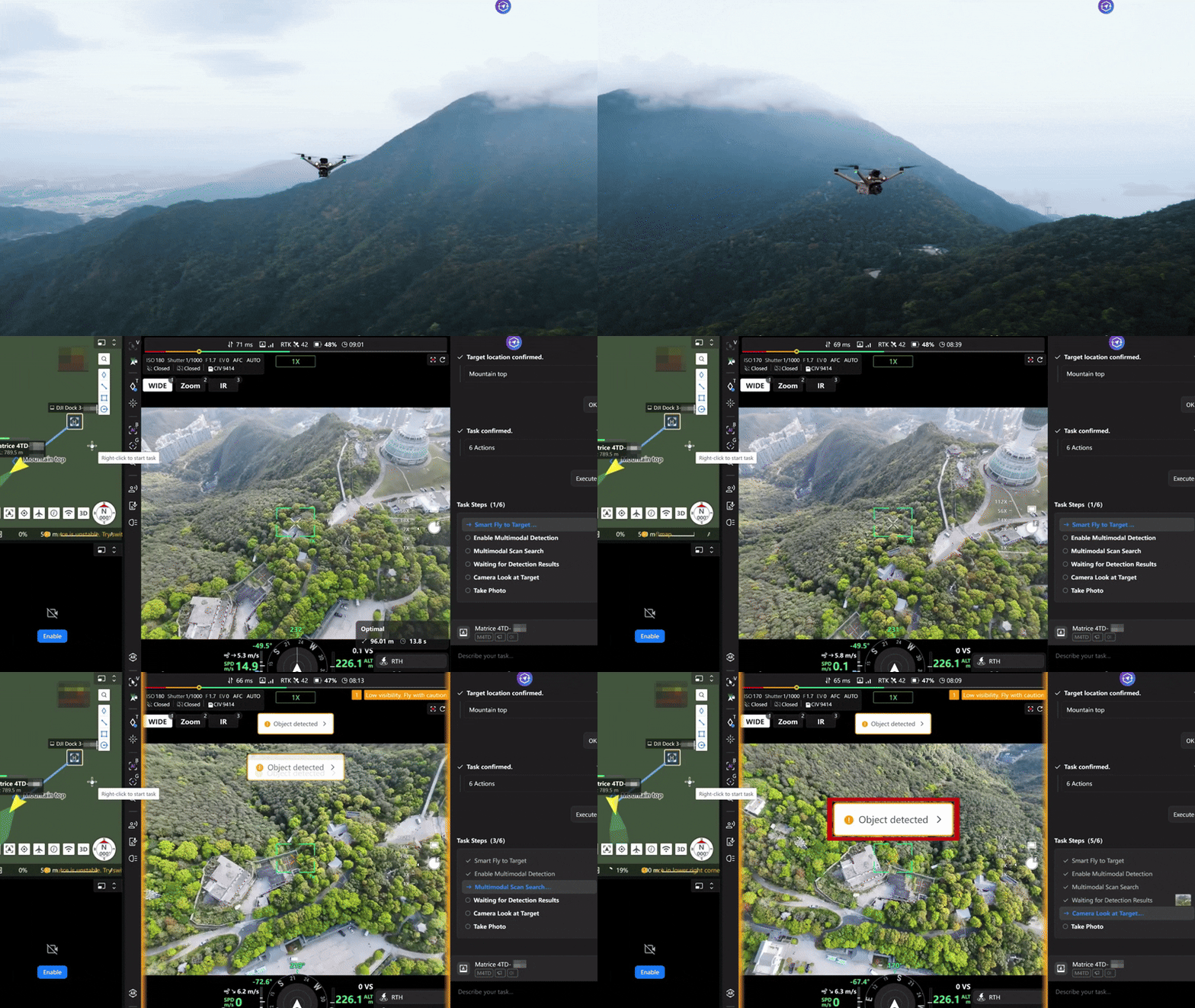
This effectively shortens the loop between detection and response, allowing operators to escalate incidents—such as potential fires—without manually coordinating each step of the workflow.
Right now, Copilot manages mission control, interprets waypoints, and handles basic decision-making. While its capabilities are still somewhat limited, the underlying architecture points toward more autonomous inspection and monitoring workflows in future releases.
AI recognition in FlightHub 2 has evolved beyond just recognizing predefined categories like people, vehicles, or vessels. The platform now utilizes vision-language models (VLM), which means it can understand a wider variety of visual inputs without needing specific training for each situation. In simpler terms, this allows the system to recognize objects or conditions described in everyday language, rather than being limited to fixed detection categories.
This advancement is especially useful for:
Moreover, AI is now being used at the route level—not just during the analysis of live camera feeds. This opens up possibilities for:
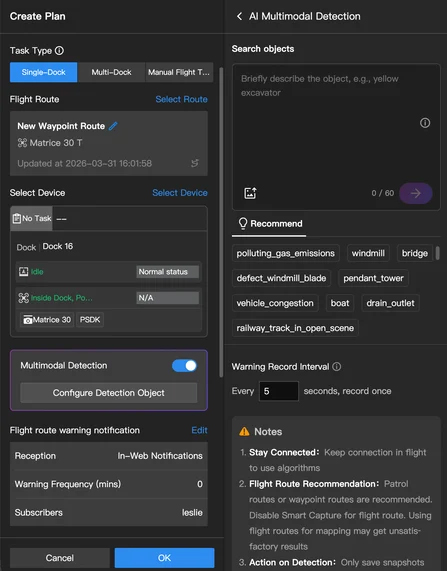
The change may seem subtle, but it’s significant: recognition is shifting from being purely categorical to becoming more contextual.
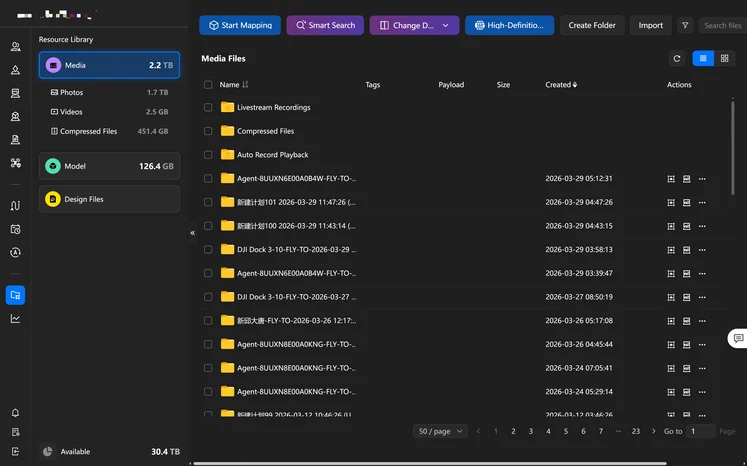
FlightHub 2 used to keep media, models, and design files separate, but now everything is brought together in one convenient Resource Library.
This is a structural change rather than a feature, but it has practical implications:
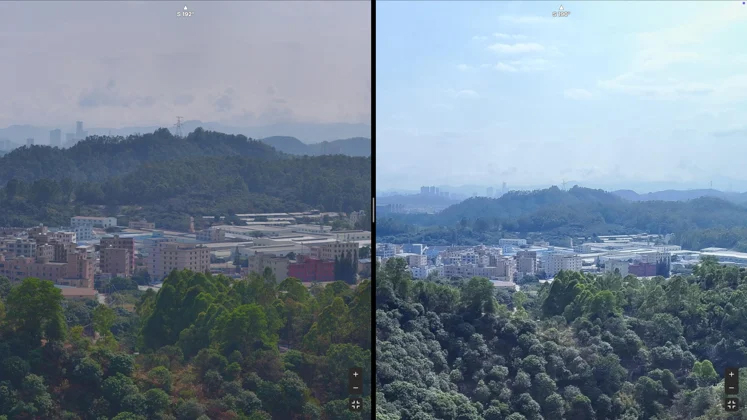
Panorama generation has been upgraded from ~100 MP to ~500 MP.
The method remains similar: telephoto images are captured in segments and stitched in the cloud. The difference is resolution & usability.
The ~500 MP panoramas are now bridging the gap between visual hand-tags as a quick explanation & full photogrammetry:
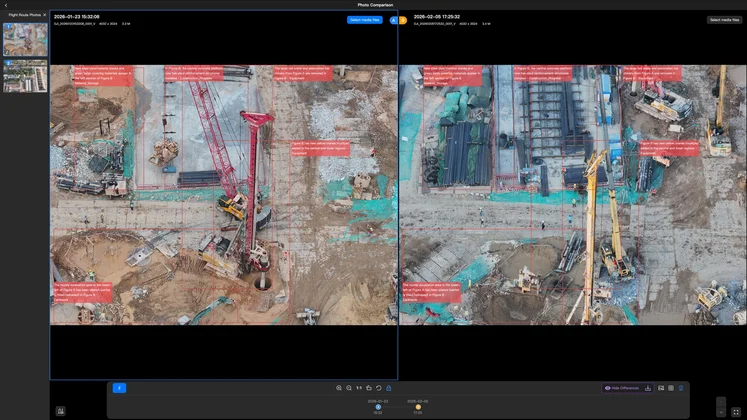
Earlier detection methods required repeat camera angles of the same (or very similar) view—e.g., a nadir camera, or a) very similar survey flight lines.
Change Detection Pro removes much of this limitation by using VLM-based comparison. The system can now analyze images taken from slightly different angles, as long as they originate from the same waypoint.
Here are some key features:
This makes the tool much more practical for real-world situations, where achieving perfect consistency is often impossible. For tasks like construction monitoring or asset inspection, this means you won’t have to stick to rigid flight paths anymore.
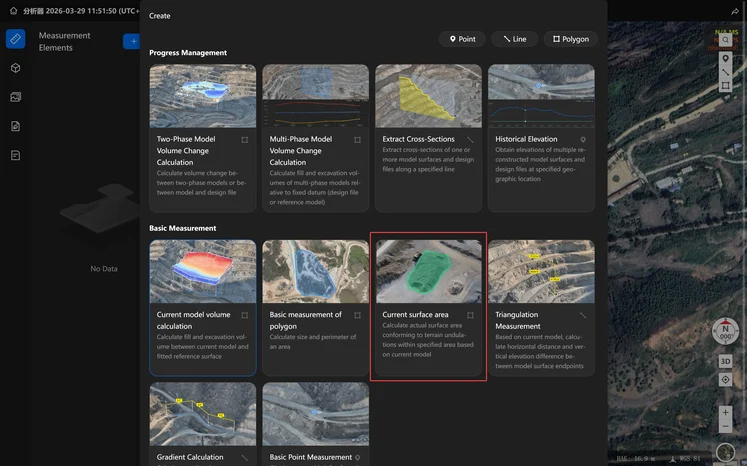
A new measurement tool allows users to calculate surface area directly within the platform.
Typical applications include:
The main advantage is not the calculation itself, but the removal of export steps. Data can move directly from capture to estimation without external tools.
FlightHub 2 now supports configurable elevation systems for design files.
Users can:
This simplifies comparison between:
It also supports standard coordinate definitions (including EPSG-based systems).
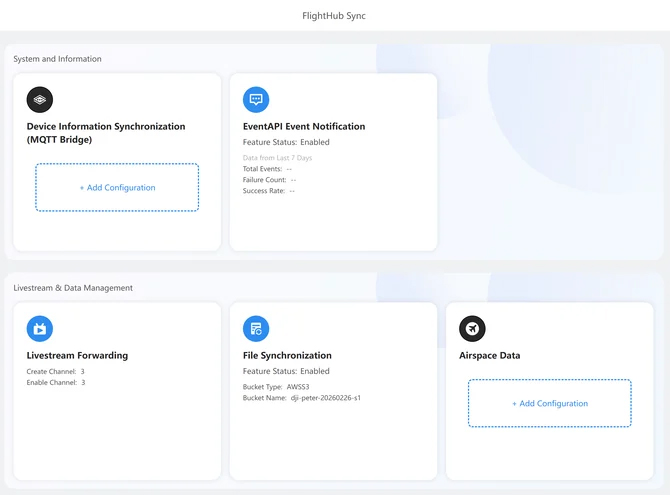
The old cloud interconnect framework has been upgraded to Sync 2.0, which significantly expands integration options.
Here are some of the key updates:
FlightHub 2 now is increasingly designed to function as a node within a larger enterprise ecosystem—feeding data into command centers, analytics platforms, or custom operational software.
Integration with external airspace data (alongside ADS-B and Remote ID) reduces the need to manually cross-check multiple tools before flight.
This is a small operational change, but it directly affects:
This update takes DJI FlightHub 2 a step closer to becoming a fully integrated operational platform instead of just a standalone mission management tool.
The combination of:
reduces the gap between data collection and actionable results.
For teams involved in inspection, construction, and infrastructure monitoring, the real benefit lies not in any one feature, but in the significant reduction of manual tasks throughout the entire process.