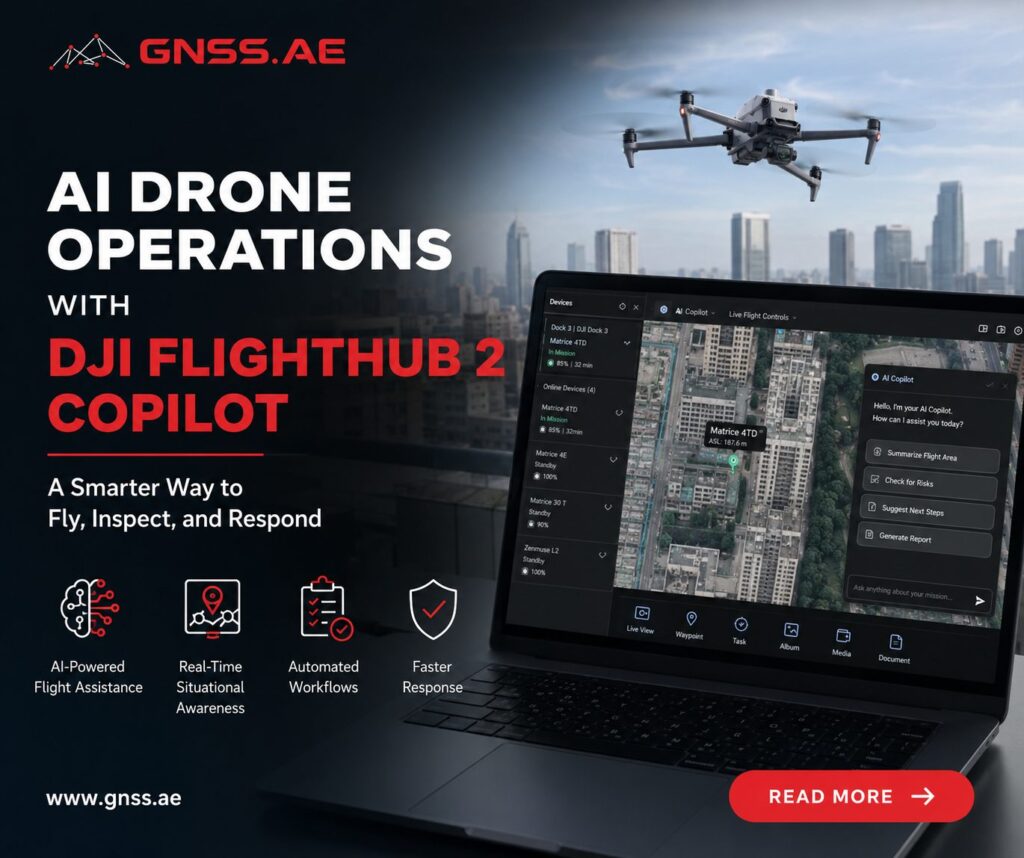
Enterprise drone operations have become increasingly automated, but mission execution still typically depends on manual flight planning and experienced pilots. DJI FlightHub 2 Copilot introduces a different approach, allowing operators to control remotely deployed drones using natural language while AI handles mission planning, navigation, camera actions, and object search.
In this article, we’ll explore how FlightHub 2 Copilot works, its key capabilities, current limitations, and the practical applications where AI-assisted drone operations can make the biggest difference.
DJI FlightHub 2 Copilot is an AI assistant built into the FlightHub 2 cloud platform. Instead of configuring missions through multiple menus and flight controls, operators can simply type or speak natural-language commands.
Copilot interprets each request, identifies locations, checks the drone’s status, and generates a mission plan before any flight begins.
For example, a request such as:
Fly to the west gate, inspect the fence, and take three photos
is automatically translated into a sequence of actions:
Copilot is not a fully autonomous system. High-risk actions, including takeoff and flight to a destination, always require operator approval. The AI plans the mission, but the final decision remains with the operator—an important safeguard for enterprise operations where safety, compliance, and accountability are essential.
Although interacting with Copilot feels conversational, the system follows a structured workflow behind every request.
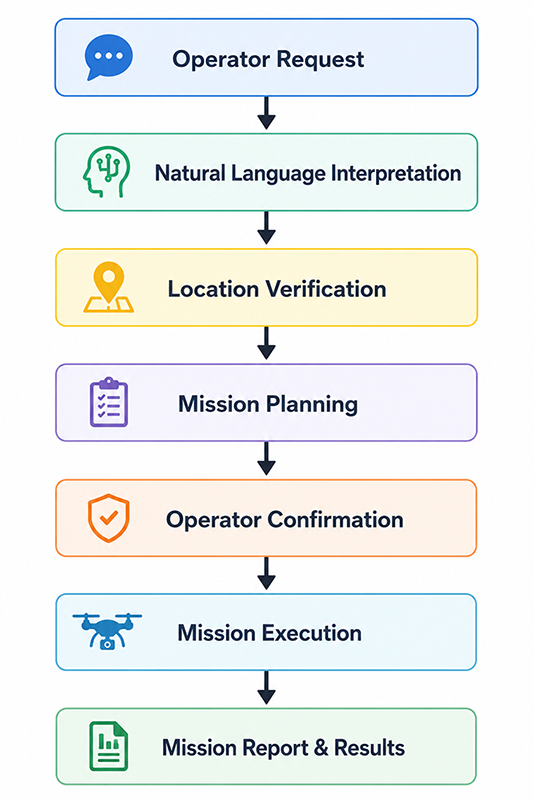
Copilot first analyzes the command to determine:
If a destination is specified, Copilot first searches project PinPoints before looking up external map locations. The selected location is then displayed on the map, allowing the operator to confirm or adjust it before the mission is generated.
The mission plan may include:
After the operator approves the plan, the drone begins the mission. Flight progress is displayed in real time through the virtual cockpit, while FlightHub 2 records mission logs together with captured images, videos, or AI detection results, depending on the task.
This approval step is central to Copilot’s workflow. Rather than giving AI full control, DJI keeps the operator responsible for authorizing every mission before flight.
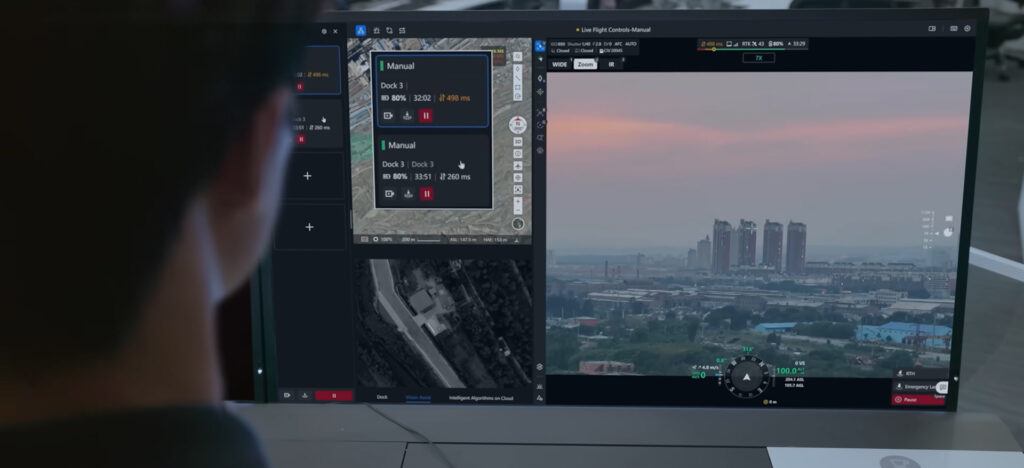
Traditional remote drone operations require pilots to configure destinations, altitude, and flight parameters before each mission. Copilot simplifies this workflow by interpreting natural-language commands and generating a flight plan automatically.
When the operator issues a command, Copilot retrieves terrain data, checks aircraft status, calculates an appropriate altitude, and generates a safe flight route. If Intelligent Optimal Flight Route Planning is enabled, the route is optimized before being presented for approval.
Relative movement is equally simple. Instead of using manual flight controls, operators can issue commands such as “Fly forward 100 meters” or “Ascend 30 meters.” Movements are calculated relative to the aircraft’s current heading rather than map directions, making precise positioning faster during inspections.
Copilot also supports routine flight commands, including automatic takeoff, Return-to-Home (RTH), and emergency hover. These functions already exist in DJI’s enterprise platform but can now be triggered using natural-language commands.
Feature | Description | Typical Command |
Intelligent navigation | Flies to a selected location while automatically calculating altitude and flight parameters | “Fly to the warehouse entrance” |
Automatic takeoff | Takes off and climbs to a specified altitude above ground level (AGL) | “Take off to 80 meters” |
Relative movement | Moves forward, backward, sideways, or vertically relative to the aircraft’s heading | “Fly left 50 meters” |
Return to Home | Returns to the launch point and lands automatically | “Return home” |
Emergency stop | Immediately pauses the mission by hovering in place | “Emergency stop” |
Before launch, operators should still verify the proposed destination and flight parameters. Terrain data may not fully reflect local conditions, particularly on construction sites or in mountainous areas, making human verification an important safety step.
Limitation | Operational Impact |
One destination per command | Multi-stop missions must be broken into separate instructions. |
Stored flight missions | Existing waypoint missions cannot be launched through Copilot. |
Manual route editing | Routes are generated automatically rather than edited interactively within the conversation. |
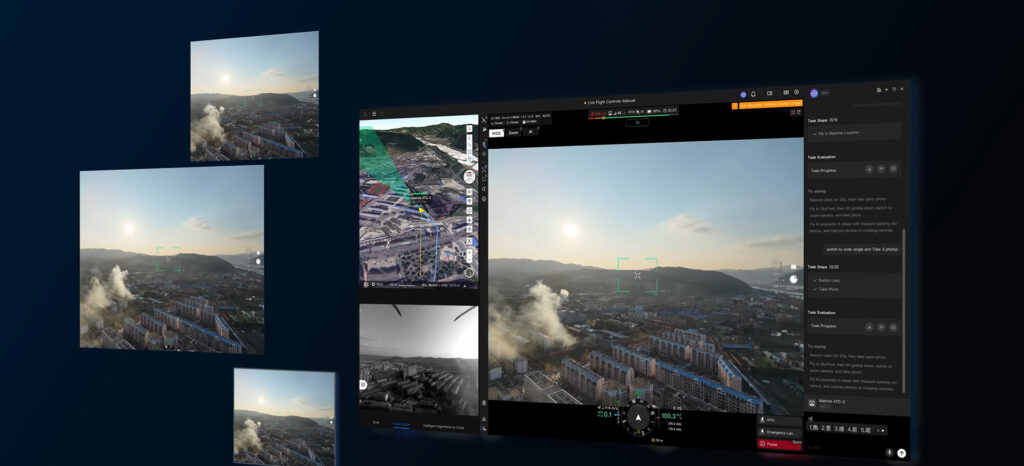
Copilot allows imaging tasks to be included directly in flight commands, reducing the need to switch between flight controls and camera settings.
A single instruction can send the drone to a location, adjust the zoom level, capture images, and continue the mission. Copilot also switches between photo and video modes when required.
Panorama capture is supported as well. After receiving the command, the drone hovers while automatically collecting the images needed to create a panoramic view. Because the process takes about 100 seconds, it is best suited to calm weather and open environments.
Where supported by the aircraft, Copilot can switch between wide-angle, zoom, and thermal cameras without interrupting the mission.
Feature | Description | Example Command |
Photo capture | Captures single images, bursts, or interval photos | “Take three photos” |
Video recording | Records for a specified duration or until manually stopped | “Record for 60 seconds” |
Panorama capture | Creates a panoramic image while hovering | “Take a panorama” |
Lens switching | Changes between wide, zoom, or thermal cameras (depending on payload) | “Switch to the zoom camera” |
Camera orientation | Points the camera toward a selected location | “Point the camera toward the main gate” |
Limitation | Operational Impact |
Manual exposure control | Exposure compensation and advanced camera settings cannot be adjusted through Copilot. |
Manual focus | Autofocus modes are available, but precise manual focus control is not supported through natural-language commands. |
Advanced imaging modes | Certain specialized camera settings remain accessible only through the standard FlightHub 2 interface. |
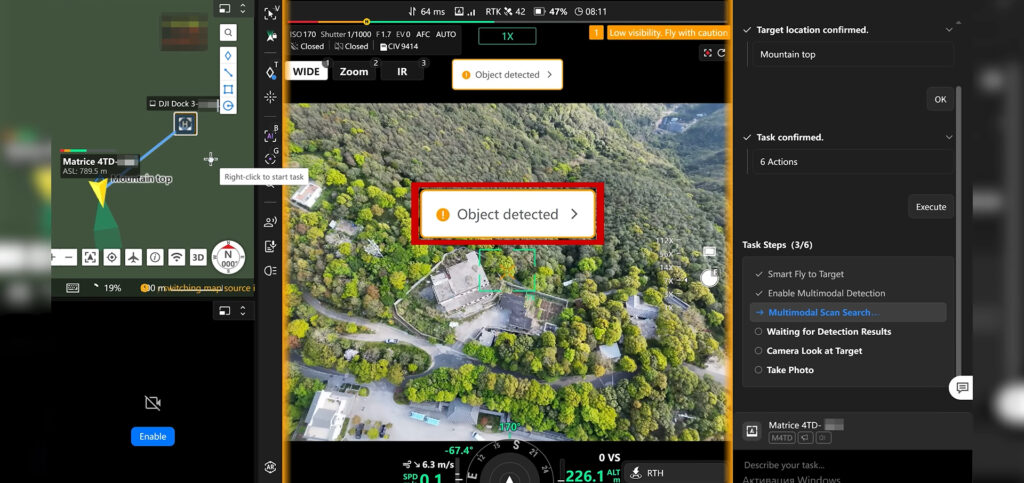
One of Copilot’s most advanced capabilities is natural-language object search powered by a Vision-Language Model (VLM).
Unlike conventional computer vision systems, which recognize only predefined object classes, a VLM can interpret descriptive text and search for matching objects in the live video feed.
This allows operators to search for people, vehicles, equipment, or hazards without manually configuring detection rules.
After receiving a search request, Copilot performs more than image analysis. It automatically flies a structured search pattern, switches to the wide-angle camera, and conducts a three-layer circular scan around the current position. Incoming video is analyzed continuously, and when a matching object is detected, the camera can automatically point toward the target before the mission resumes.
By combining navigation, camera control, and AI analysis, Copilot significantly reduces the manual effort required during aerial search operations.
Feature | Description | Example Command |
Natural-language object search | Detects objects based on descriptive text rather than predefined menus | “Search for a person wearing a red jacket” |
Fire and smoke detection | Identifies visible smoke or flames during inspections and emergency response | “Detect fire and smoke” |
Automatic search scan | Performs a three-layer circular scanning pattern using the wide-angle camera | Triggered automatically after a search request |
Continuous AI analysis | Processes imagery throughout the search mission and reports detections in real time | No additional operator input required |
Camera alignment | Automatically points the camera toward detected targets | Performed automatically after detection |
Limitation | Operational Impact |
Very small objects | Tiny defects such as hairline cracks or small fasteners may not be reliably detected from operational flight altitudes. |
Highly specialized components | Industry-specific equipment with uncommon visual characteristics may not yet be recognized consistently. |
Image quality dependency | Detection accuracy depends on altitude, lighting, weather conditions, and camera resolution. |
Like any AI-powered vision system, detection performance improves when requests are specific. Asking Copilot to “find a person wearing a yellow safety vest” is generally more effective than simply requesting it to find “someone suspicious.”
Many inspections require consistent views of an asset from multiple angles rather than a single image. Copilot simplifies this with automated Point of Interest (POI) missions.
Instead of manually flying around an object while adjusting the camera, operators can issue a command such as:
“Circle the communications tower and record a video.”
The system automatically flies around the selected structure while keeping the camera locked on the target throughout the maneuver.
Feature | Description | Example Command |
Automatic orbit | Circles a selected object while maintaining camera focus | “Circle the signal tower” |
Multiple rotations | Performs more than one complete orbit when requested | “Circle the building three times” |
Video integration | Starts recording before the orbit begins | “Circle and record video” |
Mission interruption | Stops the orbit immediately when instructed | “Stop circling” |
Limitation | Operational Impact |
Automatic orbit radius | The flight radius is calculated automatically based on the drone’s distance from the object and cannot be manually specified. |
Single POI per command | Each instruction supports only one inspection target. |
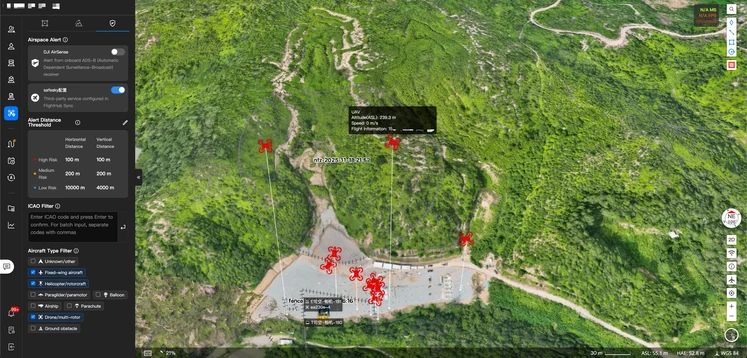
Copilot automates mission planning but keeps the operator responsible for every critical flight decision.
Before takeoff or any autonomous movement, FlightHub 2 displays a mission summary with the destination, planned altitude, and intended actions. The mission begins only after operator approval.
This confirmation step helps prevent navigation errors caused by incorrect locations or ambiguous commands.
An Emergency Stop provides an additional layer of protection. Unlike standard voice or text commands, it communicates directly with the aircraft, immediately stopping the mission and commanding the drone to hover.
Operators can also take manual control at any time. If control is transferred through FlightHub 2, Copilot immediately suspends the mission and records the event in the mission history.
Safety Mechanism | Purpose |
Location confirmation | Allows operators to verify or adjust destinations before takeoff. |
Mission plan approval | Requires confirmation before executing flight operations. |
Emergency Stop | Immediately halts the mission and commands the drone to hover. |
Manual takeover | Human operators can reclaim control at any point during the mission. |
Automatic parameter retrieval | Retrieves altitude limits, Return-to-Home settings, and other operational parameters before flight. |
These safeguards reflect Copilot’s role as an assistant rather than an autonomous pilot. It automates routine tasks while leaving critical decisions to the operator.
Although Copilot understands conversational language, the quality of the results still depends on how instructions are written.
The most effective commands are specific, measurable, and focused on a single objective.
Instead of writing:
“Go check what’s happening over there.”
use:
“Fly to the south entrance, search for a white pickup truck, and take three photos.”
Adding details such as location, altitude, recording duration, or object descriptions helps the AI generate a more accurate mission plan.
Operators should also develop a few routine habits before launching any automated mission:
Although Copilot automates many routine tasks, it should still be viewed as a decision-support tool rather than a replacement for experienced operators. Human oversight remains essential, particularly in complex or rapidly changing environments.
DJI FlightHub 2 Copilot represents more than another software update. It introduces a new way of interacting with enterprise drones by combining natural-language communication, intelligent flight planning, computer vision, and cloud-based mission management within a single interface.
Rather than replacing traditional flight controls, Copilot builds on them by automating repetitive operational tasks while preserving human oversight at every critical stage. Operators remain responsible for approving missions, verifying destinations, and responding to unexpected situations, while the AI handles much of the routine coordination behind the scenes.
For organizations deploying drones through DJI Dock 2 or DJI Dock 3, this approach has the potential to reduce response times, simplify routine inspections, and make remote operations more accessible to teams that may not include experienced pilots. As AI continues to evolve, tools like Copilot point toward a future where operators spend less time controlling aircraft and more time acting on the information drones collect.