DJI recently introduced DJI Reality v1.0.0 as a free application for opening and presenting large 3D survey models. However, the release of DJI Reality was only one part of a broader update to the DJI geospatial ecosystem.
At the same time, DJI also released DJI Terra v5.2.0, DJI Modify v1.6.0 and a major update for DJI FlightHub 2. Together, these updates focus on a practical goal: reducing repetitive work and making drone data easier to process, review and deliver:
Flight planning and remote operations in FlightHub 2 → data reconstruction in DJI Terra → editing in DJI Modify → presentation in DJI Reality
The most important changes in DJI Terra 5.2 are not entirely new reconstruction methods. Instead, DJI focused on reducing the amount of repetitive work that survey teams face on every project.
Ground control point marking has traditionally been one of the slowest parts of processing, especially on recurring projects.
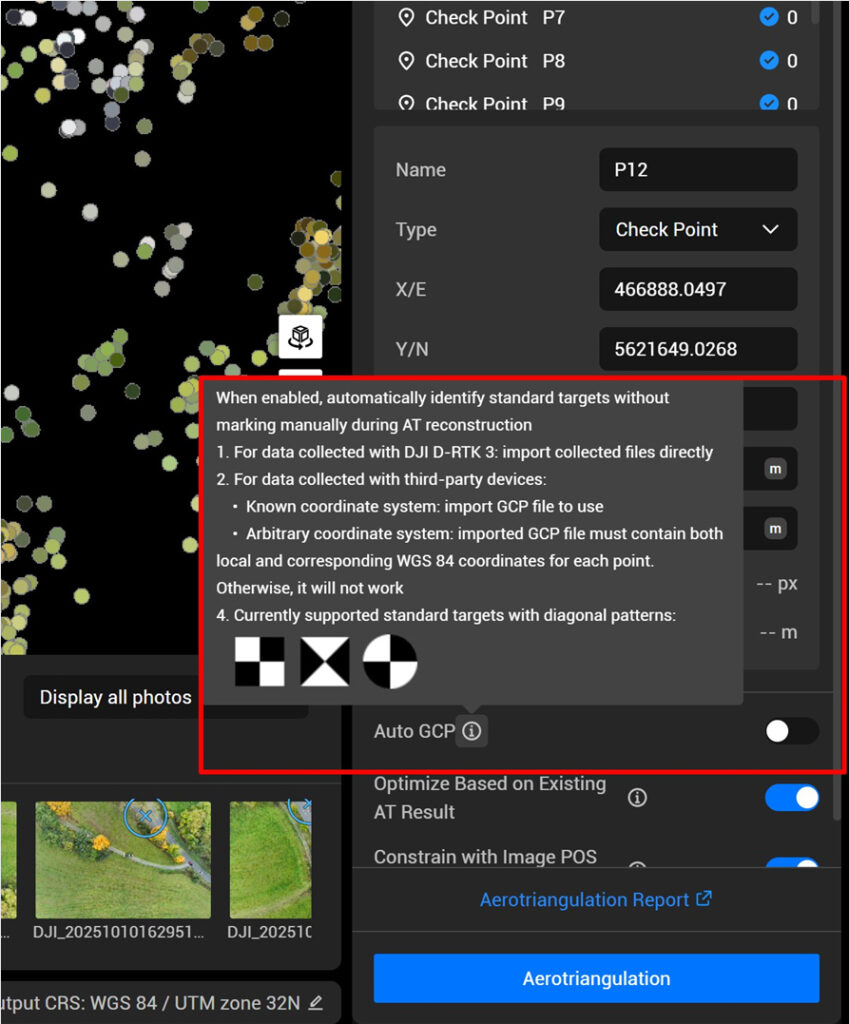
DJI Terra 5.2 now supports automatic recognition of standard GCP targets during aerotriangulation. After importing GCPs and enabling Auto GCP, the software finds and marks the targets automatically.
Supported target types include:
When you import GCPs, and turn Auto GCP on, Terra automatically recognizes and marks the GCP targets.
This is particularly useful for:
According to DJI, if you’re using GCP data gathered with the DJI D-RTK 3, you can easily import your targets and have them recognized automatically—no extra setup needed.
The feature works seamlessly with GCP data collected from the DJI D-RTK 3, and it also supports third-party GNSS data, as long as the imported file contains both local coordinates and WGS84 coordinates.
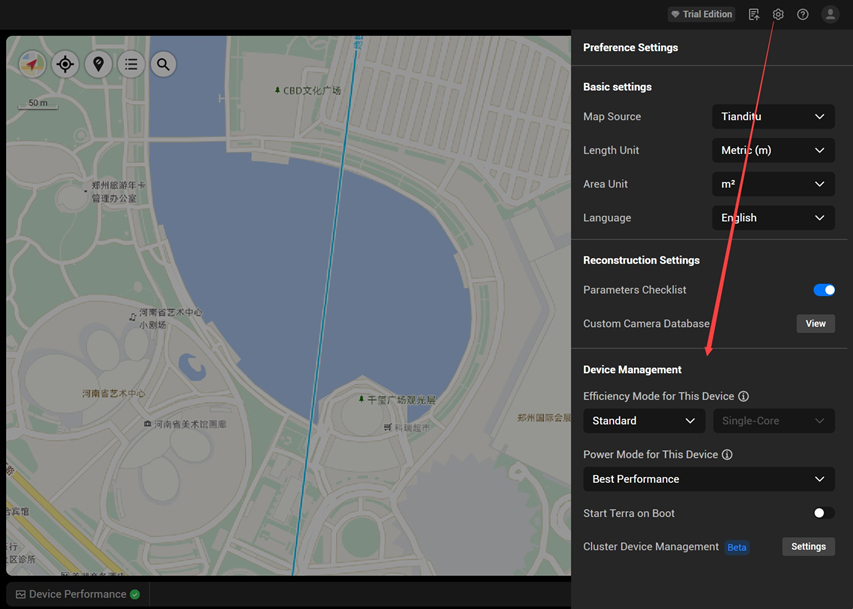
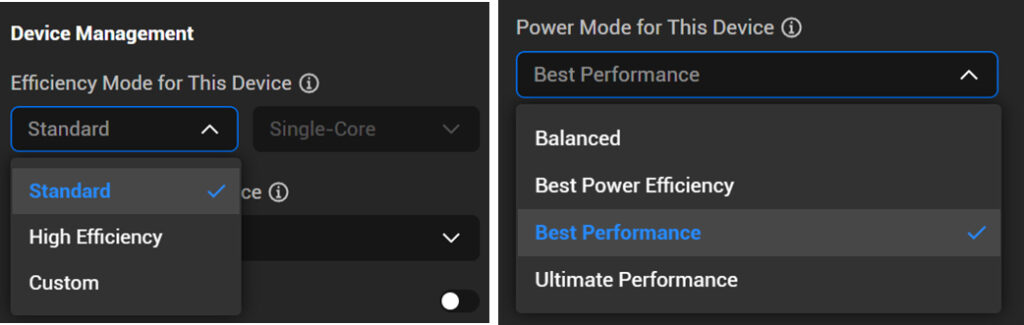
A further useful feature added in Terra 5.2 is the Efficiency Mode and Power Mode.
Many reconstruction projects are no longer limited by the software itself, but by the efficiency of the workstation hardware. DJI has now added additional controls that allow users to push the system harder when faster delivery is required.
Setting | Available Modes |
Efficiency Mode | Standard, High Performance, Custom |
Power Mode | Balanced, Best Power Efficiency, Best Performance, Ultimate Performance |
These settings make it possible to use more CPU and GPU resources when project delivery time is critical.
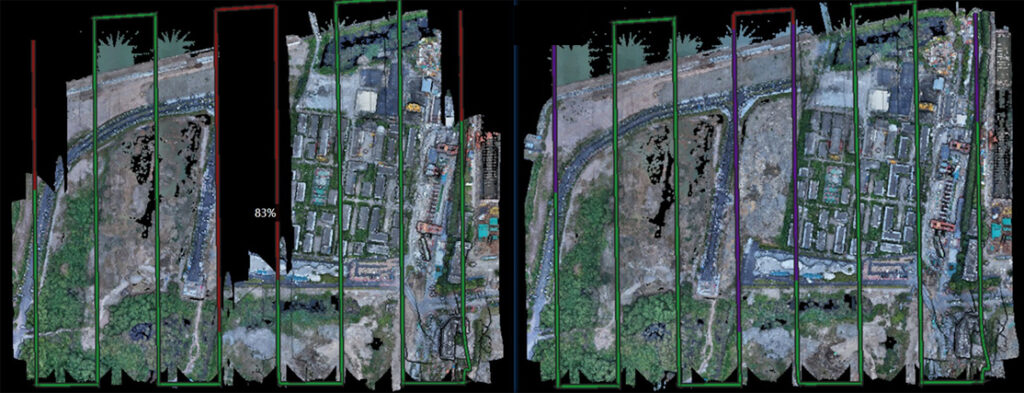
LiDAR projects can easily run into problems when either the GNSS or PPK trajectory quality is not optimal. Previously, when a PPK solution would not come to a fixed solution, the LiDAR data was often lost or the site re-flown.
The updated software can now use image-based positioning to correct poor LiDAR trajectories when the photo poses remain accurate. DJI states that more than 90% of anomalous LiDAR data can potentially be recovered.
DJI has also addressed one of the most common frustrations in 2D mapping workflows: waiting for large orthomosaics to load in downstream software.
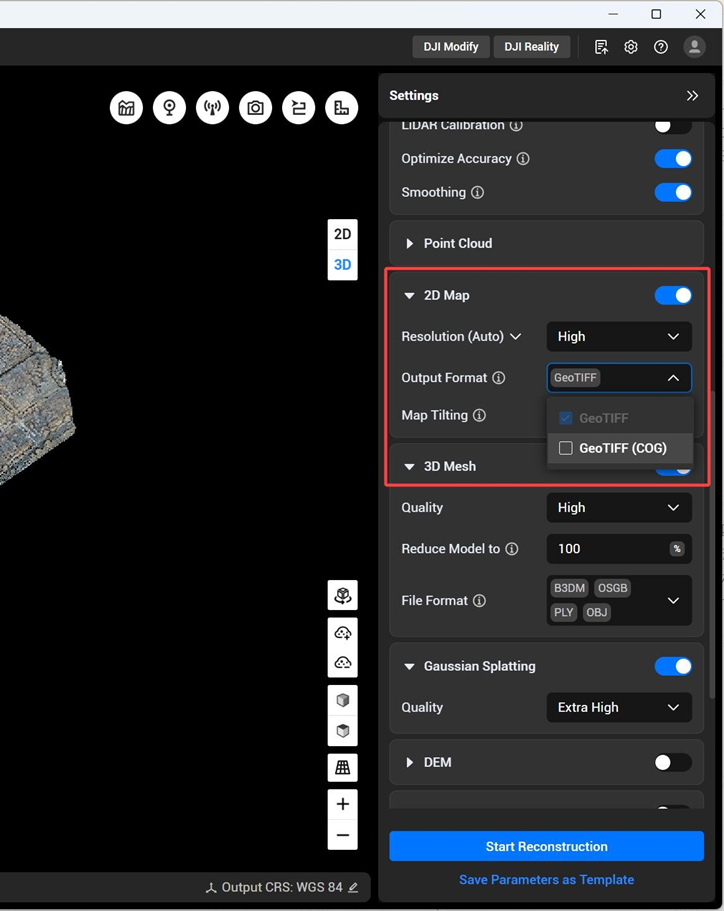
DJI Terra 5.2 now supports Cloud Optimized GeoTIFF (COG).
For users working in ArcGIS, QGIS and other GIS software, this means large orthomosaics load much faster and no longer require additional pyramid files.
Traditional GeoTIFF | GeoTIFF (COG) |
Additional processing often required | Ready for use immediately |
Slow browsing for very large maps | Faster loading and navigation |
Less efficient for cloud or web use | Better suited for modern GIS workflows |
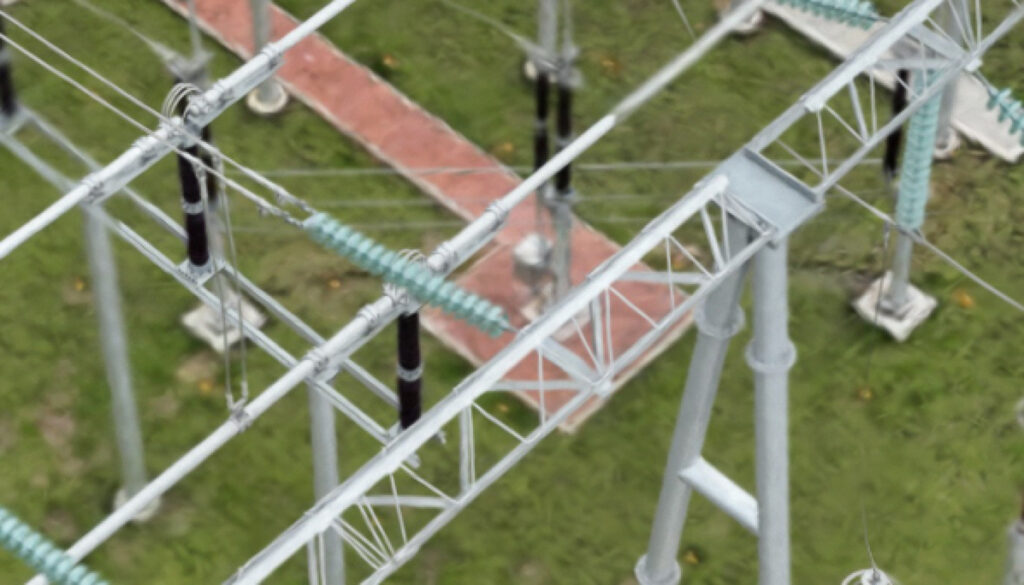
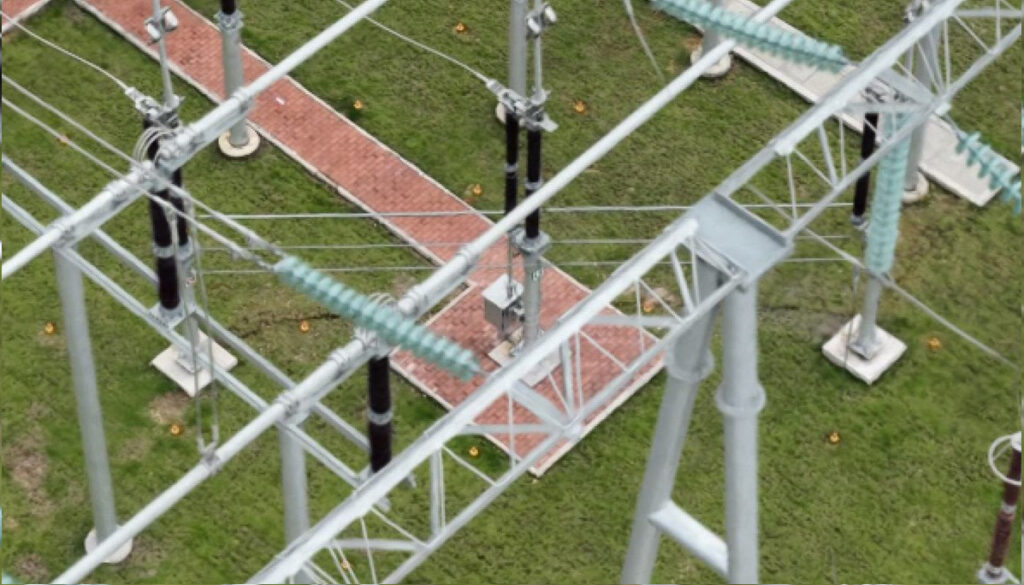
DJI has also improved Gaussian Splatting quality in visible-light projects. In Ultra-High mode, reconstruction now uses up to 6K image resolution instead of 1.6K, producing much sharper models.
The trade-off is processing time: ultra-high quality Gaussian models may take approximately twice as long to generate.
At the same time, Terra now supports HEIF photos from the Zenmuse L3. Compared to JPEG, HEIF can reduce image storage requirements by more than 30%.
While DJI Terra 5.2 focuses on reconstruction, DJI Modify 1.6 is aimed at what happens next: preparing models for engineering review, filtering data and creating deliverables.
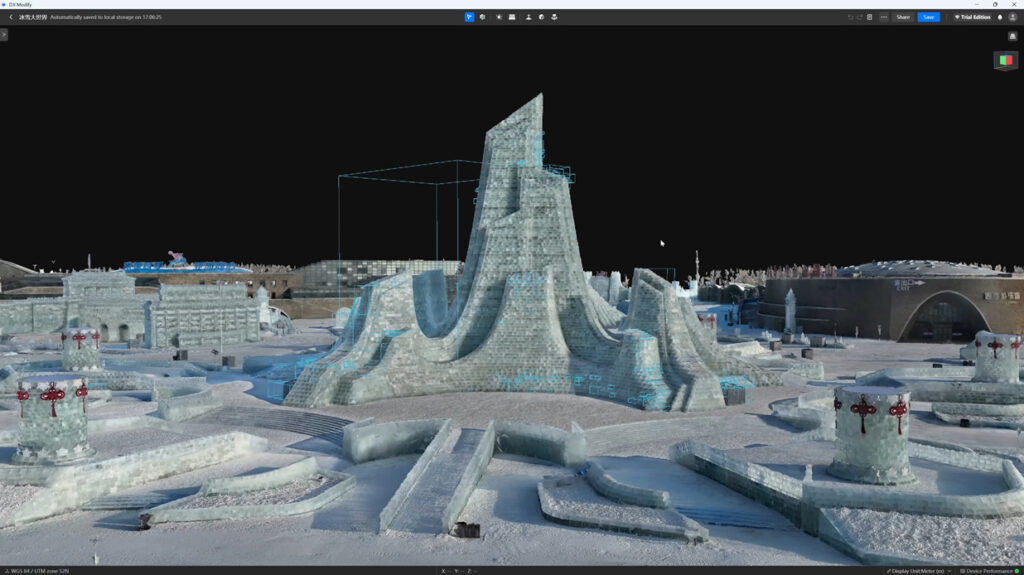
The most important new feature in DJI Modify 1.6 is the ability to draw a custom cube directly on a 3D mesh model and export an orthographic projection from any face.
In practice, this means a surveyor can take a 3D model of a building, bridge, retaining wall or slope and quickly generate a clean 2D drawing from the exact angle needed.
Typical use cases include:
Instead of rebuilding the model in CAD, users can now create a usable 2D view directly inside DJI Modify.
The orthographic area can be moved, rotated and resized in 3D before export, making it possible to produce a drawing from almost any direction
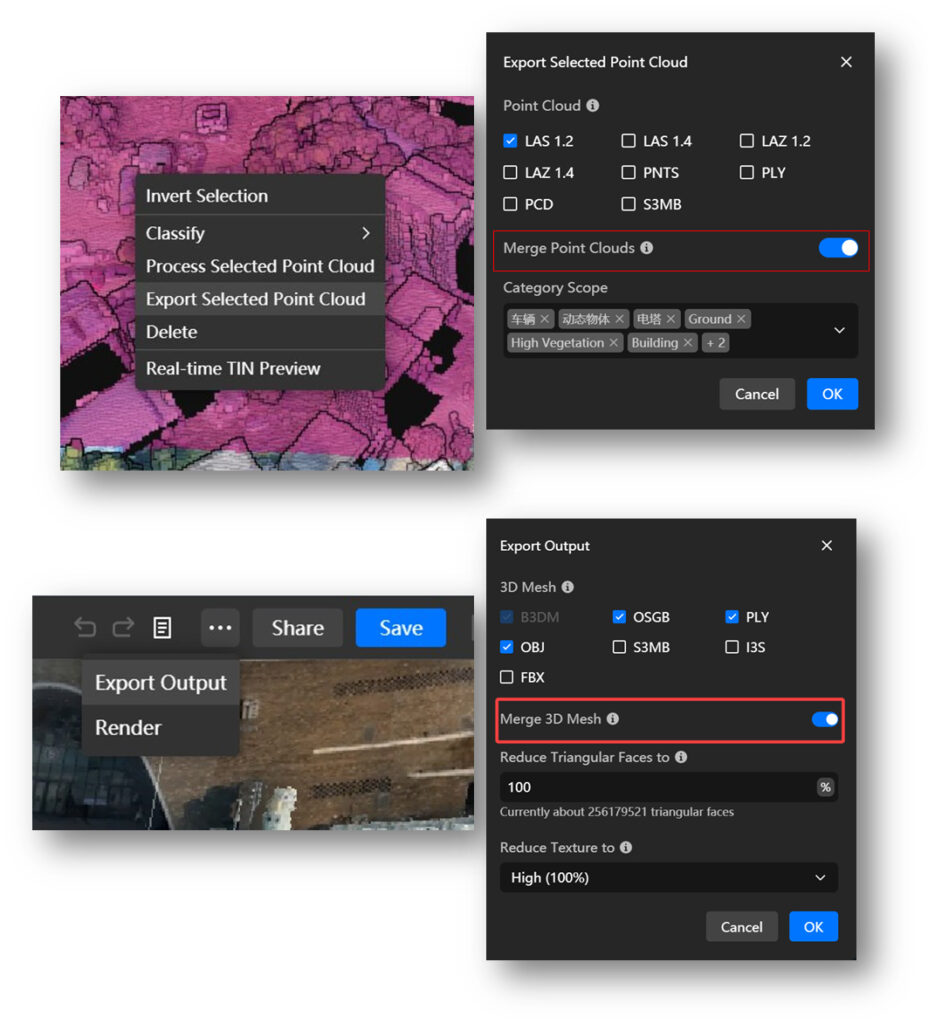
Another useful addition is merged export.
Previously, large projects often had to be exported as multiple separate files. DJI Modify 1.6 can now combine them into a single result.
Data Type | Supported Merged Export Formats |
3D mesh models | PLY, OBJ, FBX |
Point clouds | Single merged point cloud export |
For large projects, this simplifies delivery and reduces the amount of file management required after processing.
view in 3D mesh projects.
Perspective view remains useful for realistic visualization, while orthographic view is often more practical for engineering review and measurement.
At the same time, users can now reduce:
This makes large models easier to browse and share without needing to rebuild them.
DJI Modify 1.6 also adds several smaller but practical improvements for point cloud projects:
These changes make it easier to isolate specific areas, work with industry-standard formats and prepare data for international projects.

While DJI Terra and DJI Modify focus on data processing, the latest FlightHub 2 update is aimed at the operational side of drone work.
The update introduces AI-assisted drone control, better inspection comparison tools and expanded integration with third-party systems.
The headline feature is DJI FlightHub 2 Copilot.
Copilot is an AI-powered assistant built directly into the virtual cockpit. Operators can now use natural language or voice commands to control the drone in real time. For example, the drone can be instructed to:
According to DJI, Copilot can execute these commands in real time while the drone is operating.
This is particularly useful for inspections, dock-based missions and emergency response. DJI is moving toward a workflow where the operator gives instructions and the system handles the execution.
FlightHub 2 now also supports ultra-high-resolution 500 MP panoramas for DJI Dock 3 and DJI Matrice 4 Enterprise.
The updated workflow allows users to:
For inspection teams, this makes it easier to capture a complete site with enough detail to zoom in later without returning to the field.
Another important addition is Change Detection Pro (Beta).
Traditionally, change detection worked best with orthophotos or images captured from nearly identical viewpoints. The new version is more flexible. Change Detection Pro can now detect differences even when the compared images are not orthophotos, as long as they were captured from the same waypoint route.
The analyser timeline now includes a side-by-side view, allowing two inspection datasets to be compared directly.
Previous workflow | New Change Detection Pro workflow |
Needed orthophotos or nearly identical camera angles | Works with non-orthophoto inspection images |
Manual visual comparison | Automatic highlighting of changed areas |
Slow review of repeated inspections | Faster identification of defects or changes |
For repeated inspections of solar farms, rooftops, substations and industrial sites, this can save considerable review time.
FlightHub 2 also reorganizes how project files are stored.
The previous Media Library, Model Library and Design Files sections have now been merged into a single Resource Library.
This makes it easier to manage:
DJI also expanded FlightHub Sync.
The updated version now supports:
New integration feature | Practical value |
RTSP livestream forwarding | Send video feeds to third-party platforms |
File Sync across multiple projects and buckets | Easier storage management and cloud workflows |
Real-time telemetry sync | Share aircraft attitude and flight data with external systems |
Third-party airspace data integration | Display external airspace restrictions directly inside FlightHub 2 |
These additions make FlightHub 2 easier to integrate into existing enterprise systems.
The latest DJI releases are not simply feature updates. They make the entire workflow more efficient:
Together with DJI Reality, the new versions of Terra, Modify and FlightHub 2 create a more complete end-to-end workflow — from flight planning and reconstruction to analysis and final presentation.