DJI has officially introduced DJI Reality v1.0.0 — a new desktop application designed for viewing, presenting, and navigating large-scale 3D models.
Unlike DJI Terra and DJI Modify, which focus on reconstruction and editing, DJI Reality is all about the final stage of the workflow: opening, reviewing, sharing, and presenting complex geospatial models.
The software is completely free, no log-in required and will be compatible with the products outputted from DJI Terra and DJI Modify.
Large drone mapping projects often create a second problem after reconstruction is complete.
The data may already exist in DJI Terra or DJI Modify, but sharing and presenting those results to a client, project manager, or design team usually requires additional software, powerful workstations, and time-consuming export workflows.
This becomes especially noticeable on projects with large point clouds, detailed mesh models, or Gaussian Splatting reconstructions. Until now, many organizations have had to rely on expensive third-party viewers or specialized workstations simply to review and present the final model.
DJI Reality is designed to solve that problem.
The new software provides:
Now users can move seamlessly from reconstruction to editing to presentation, all within a single DJI workflow, without the need to export data into multiple external applications.
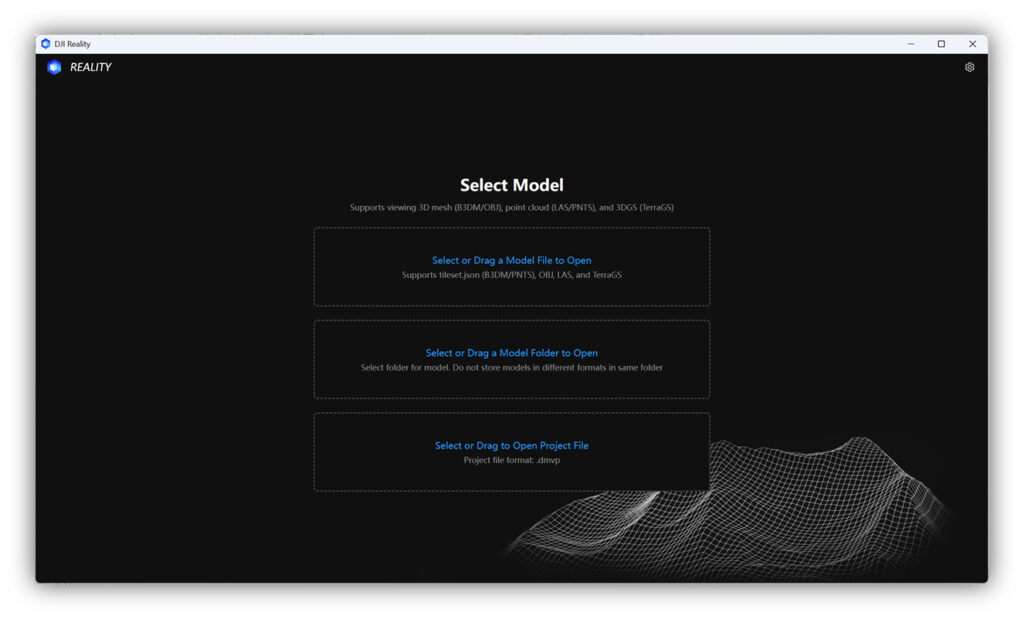
DJI Reality is free, requires no login, and can be installed as a lightweight desktop application on any compatible PC.
The application is designed to ease the cost and the complexity of delivering mapping results generated by drones to internal teams or clients. Instead of exporting multiple versions of a project or relying on third-party viewers, users can open the original results directly.
DJI Reality supports the main output formats created in DJI Terra and DJI Modify.
Data Type | Supported Formats | Practical Performance |
Point cloud | PNTS, LAS | PNTS projects maintain 30+ FPS. LAS datasets up to 1 GB (approximately 30 million points) also maintain 30+ FPS, while 1–2 GB datasets typically run at 20–30 FPS. |
3D mesh | B3DM, OBJ | B3DM models maintain 30+ FPS. OBJ projects up to 1.8 GB can be viewed while maintaining stable performance. |
Gaussian Splatting | TerraGS | TerraGS models are supported with an average frame rate of approximately 20 FPS and quality settings from low to ultra-high. |
DJI Reality is designed to work directly with projects created in DJI Terra and DJI Modify.
The software supports:
This allows users to move from reconstruction and editing to presentation without converting or rebuilding the project.
The workflow becomes:
DJI describes this as a complete “Modeling – Optimization – Presentation” workflow.
Instead of functioning as a simple file viewer, DJI Reality includes a set of tools intended for technical review and client presentation.
Function | Description | Practical Value |
Perspective and orthographic views | Switch between realistic perspective view and distortion-free orthographic view | Makes it easier to inspect dimensions, geometry, and object alignment |
Multi-window browsing | Open multiple projects or multiple views of the same project at the same time | Useful when comparing different reconstruction results or different areas of a site |
Background settings | Add solid-color or sky backgrounds to the scene | Improves the visual quality of screenshots and presentations |
3D Mesh Model View Settings | Show or hide textures and triangular mesh surfaces | Helps evaluate geometry separately from texture quality |
Point Cloud Model View Settings | Display point clouds by RGB color, classification, elevation, intensity, or echo number | Simplifies technical analysis of LiDAR and survey data |
Contour Enhancement Settings | Strengthens the visual edges of point cloud features | Makes roads, buildings, terrain breaks, and infrastructure easier to interpret |
3D Gaussian Model View Setting | Switch between low, medium, high, and ultra-high Gaussian Splatting quality | Balances realism and performance depending on the hardware available |
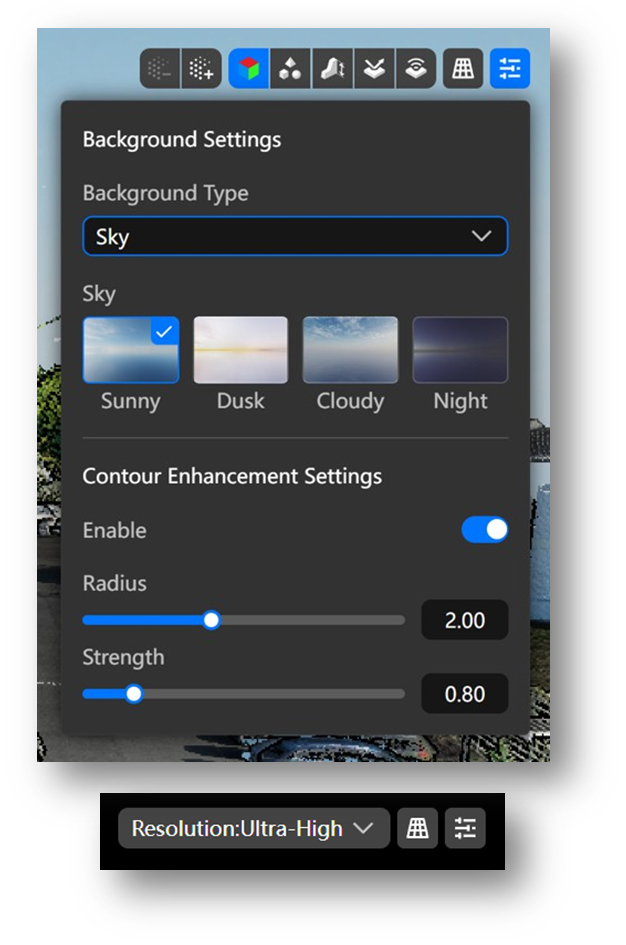
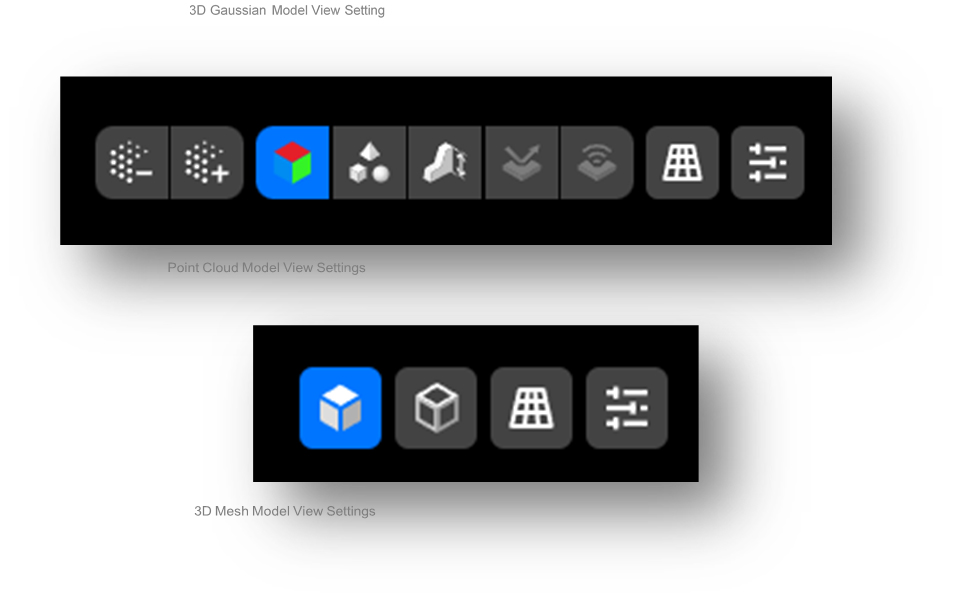
DJI Reality also make it possible to display Gaussian splatting models at different quality levels, from low to ultra-high resolution. This allows users to balance realism and performance depending on the size of the project and the capabilities of the computer.
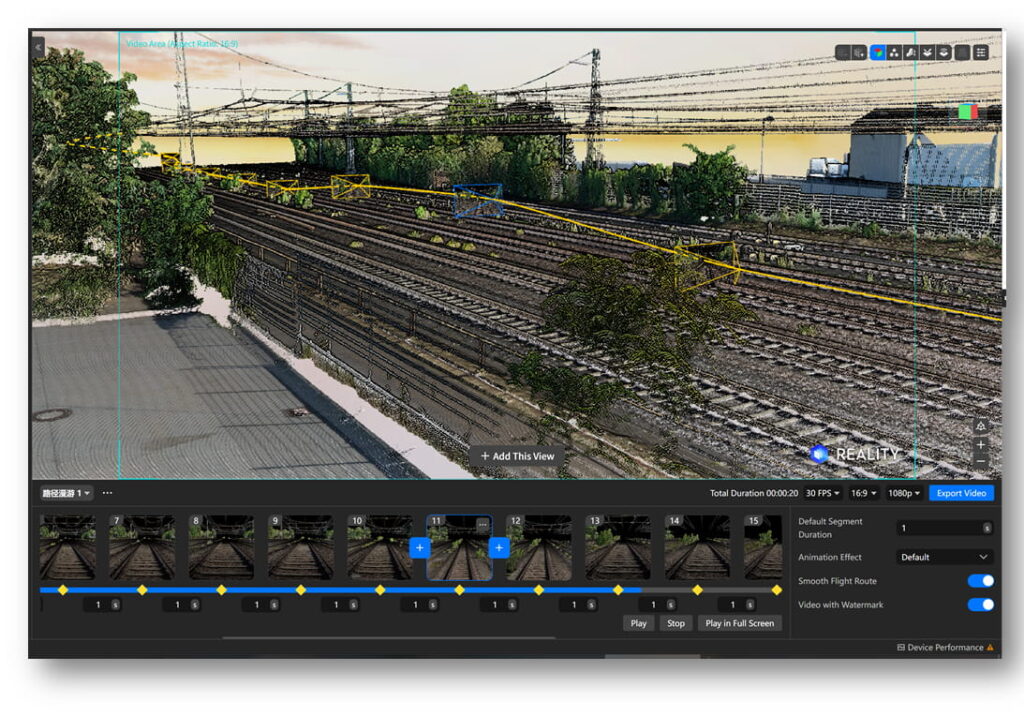
One of the most important additions in DJI Reality is the ability to create animated walkthroughs directly inside the application.
After opening a model, the user can place custom viewpoints, define the camera path between them, preview the movement, and export the result as a presentation video.
This eliminates the need to use third-party rendering or animation software for basic project presentations.
Export Setting | Available Options |
Frame rate | 25 FPS, 30 FPS, 60 FPS |
Aspect ratio | 16:9, 4:3, 1:1 |
Video resolution | 480p to 4K |
Path file support | Import and export JSON path files |
The path roaming function is compatible with all supported model types, including point clouds, meshes, and TerraGS Gaussian Splatting projects.
Because DJI Reality also supports off-screen rendering, large projects can be exported as smooth 4K videos even when the scene is too large to navigate comfortably in real time.
DJI Terra and DJI Modify already provide the tools to rebuild and optimize survey data—what has been missing was an easy way to open, present, and evaluate those outputs without a full Terra license or other visualization package.
DJI Reality fills that need. For companies providing drone mapping services, it makes it easy to give customers, architects, engineers, and internal teams a fast way to open up, check, and give a professional presentation of the most recently reconstructed survey data—large point clouds and mesh or Gaussian models.
As a result, DJI Reality should become a must-have part of any DJI Terra workflow, especially if rapid delivery and professional presentation matter.